
Display Player: one program runs the whole board
Display Player reads the scoring console, draws your layouts on the LED wall, plays video and sponsors, and is run from any web browser in the building. It comes with every board we build, and it is licensed for LED displays you already have.
What it does
Keep your console
Display Player reads Daktronics All Sport, Fair-Play, OES, Electro-Mech, Nevco, Sportzcast and Colorado Time Systems consoles and puts the data on your LED video board. Each build carries the decoders your venue needs.
Built for aquatics
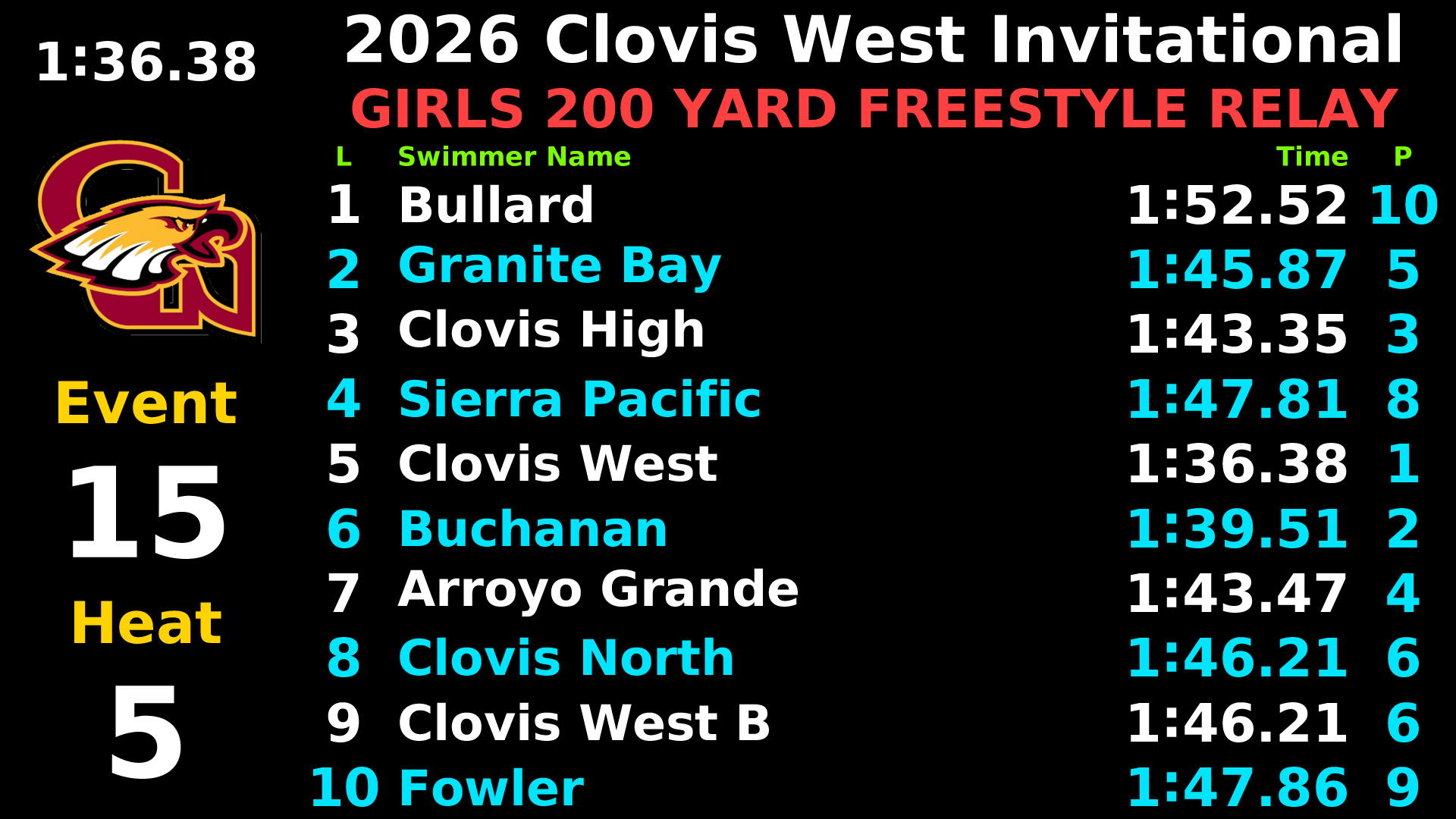
Colorado Time Systems System 6 and Gen7, Daktronics OmniSport 2000, Swiss Timing, Hy-Tek Meet Manager and Dive Live, for swimming, diving and water polo on the same player as your other sports.
Runs on a Windows PC
Display Player is one program on an ordinary Windows PC in the booth, with nothing else to install to run a game. No Mac, no iPads and no vendor server required. Some aquatics builds and the sign builds also run on a Mac.
Support for the whole chain
Our remote support agent reaches the console line, the software and the NovaStar LED processor: screenshots, logs, serial and processor checks, and player updates with automatic roll-back. It never stops a running show without confirmation.
Coming from LedPlayer or RocketEffects
With LedPlayer compatibility in the build, RocketEffects, Designer and ScoreBug drive Display Player the way they drove LedPlayer, and Designer .lay layouts import.
One program instead of four
Designer, LedPlayer, ScoreApp and RocketEffects each did one job: layouts, playback, scoring and effects. Display Player does all four, and serves its own control pages.
Score-driven triggers
A score, a period change, the clock reaching zero or a timeout can fire a clip or swap the layout, then return to the board.
NovaStar built in
Finds the NovaStar processor's output and keeps the board on it, runs on NovaStar Taurus players, and our support agent checks NovaStar processors remotely.
Layout editor in the browser
Layers, data binding, timelines, takeovers, ad groups and game triggers, edited on the player itself. No separate designer program, nothing to copy between PCs.
Clips and stingers
The Show page puts one tap-to-fire tile per clip in front of the operator. The Clip Editor trims, crops, adds sound and renders.
Sponsor rotation
Rotating ad groups, sponsor takeover layouts and on-demand sponsor cards, plus a proof-of-play page that exports to CSV.
Video outputs
The board goes out on any monitor output to the LED processor. Build options add NDI, Blackmagic DeckLink, AJA, Matrox SDI and ST 2110, and Spout or Syphon for graphics systems.
Editions
Pick the edition by your sport and your console. Every edition is the same Display Player: the same control pages, layout editor and clip player. Each build is made for one venue and carries the sports, consoles and outputs that venue needs.
Football Edition
A full football video board, live from the console. Score, clock, down and distance, ball on, possession and timeouts come straight from the console, with clips and sponsors around them.
Cut sheet (PDF) →- Standard console
- Fair-Play MP-70 / MP-80 / RS-485
- Also to order
- Daktronics AS5000, All Sport Pro, OES, SCOREBOT, Electro-Mech
- Sports
- Football, plus soccer, lacrosse, hockey
- Runs on
- Windows
- LedPlayer compatibility
- to order
Court Edition
Basketball, volleyball and wrestling on one board. Clock, shot clock, fouls, bonus and timeouts for basketball; per-set scores and serve for volleyball; scored from the console or from a tablet.
Cut sheet (PDF) →- Standard console
- Fair-Play MP-70 / MP-80, or none
- Also to order
- Daktronics AS5000, All Sport Pro, OES, Nevco
- Sports
- Basketball, volleyball, wrestling
- Runs on
- Windows
- LedPlayer compatibility
- to order
Baseball & Softball Edition
Count, outs and innings, live on the video board. Balls, strikes, outs, inning and score from the console or a tablet, with clips and sponsors between innings.
Cut sheet (PDF) →- Standard console
- Fair-Play RS-232, or none
- Also to order
- Daktronics AS5000, All Sport Pro, keyed XML
- Sports
- Baseball, softball
- Runs on
- Windows; app builds also macOS, Taurus
- LedPlayer compatibility
- to order
Aquatics Edition
Swimming, diving and water polo from your timing system. Lane times and places from the timing console, names and results from Meet Manager, diving scores and a water polo board, in one player.
Cut sheet (PDF) →- Standard console
- CTS System 6 / Gen7, OmniSport 2000, Swiss Timing
- Also to order
- ALGE, Ares / IST, Quantum, Lynx
- Sports
- Swimming, diving, water polo
- Runs on
- Windows; Gen7 and multi-console builds also macOS
- LedPlayer compatibility
- to order
Sign Edition
Messages, schedules and video for LED signs. Rotating text, images and video on a school or venue sign, edited from a phone or tablet and dimmed with the sun.
Cut sheet (PDF) →- Standard console
- None
- Sports
- No scoreboard
- Runs on
- NovaStar Taurus, macOS
Each build is licensed to the venue’s own PC. A spare PC can be added to the same license when the build is ordered.
Coming from LedPlayer or RocketEffects?
LedPlayer, RocketEffects, Designer and ScoreApp customers keep their software and their support. When you want the new player, here is where each job went.
| Old tool | What you used it for | In Display Player |
|---|---|---|
| Designer | Drawing layouts | The Layouts page and its editor, in the browser. Old .lay files import. |
| LedPlayer | Playing the board, reading the console, placing the picture | Display Player itself: the console on the Data page, the picture's place on the Screens page. |
| ScoreApp | Running the game by hand | Manual controls on the Data page, from any browser, and the scoring app on tablets and phones. |
| RocketEffects | Firing clips and stingers | The Show page: one tile per clip, and the Clip Editor to trim them. |
- Try it beside what you run now. Display Player installs on the same PC next to LedPlayer or RocketEffects, without removing or changing anything. One player drives the board at a time: close one, open the other, and switch back whenever you like.
- Your layouts come along. Designer and LedPlayer .lay files import, one at a time or a whole folder, and the originals are never changed. Order the build with LedPlayer compatibility.
- RocketEffects can still drive it. With LedPlayer compatibility in the build, RocketEffects, Designer and ScoreBug find Display Player on the network, send it layouts, fire them and stream values, the way they drove LedPlayer.
- Same game-night job. Pick a sport, pick a board, score the game, fire a clip. The buttons moved; the jobs did not.
Moving a venue that relies on something not listed here, such as a RocketEffects camera window? Ask us before retiring the old program on that PC.
Keep going
Features
Every console we read and every page the operator uses.
Open →Screenshots
Boards and control pages.
Open →Manuals & Downloads
The manual, cut sheets and quick guides.
Open →See it on a real board
We’ll walk through it live on a real display feed, or on your own screen. Call 321-747-3220 or email sales@olympianled.com.
Request a Demo